
 Homemanager Docs

A HOOBS App Alternative for iPhone and iPad
Manage your existing HOOBS server from an iPhone or iPad with Homemanager: connect over your network, install integrations, manage bridges, and read logs.
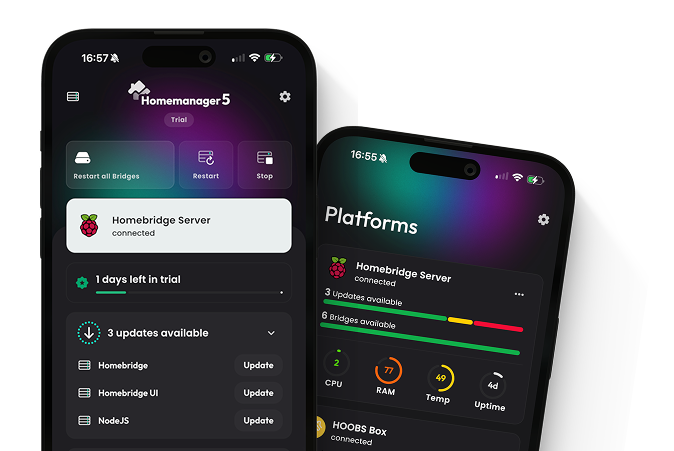
Homemanager is an app for iOS and iPadOS that manages your existing HOOBS server. It connects through the HOOBS API on your local network, so you keep your current setup and don't have to install anything on the server.
The official HOOBS app is still on the App Store. Its most recent update listed there is from December 2024 (as of November 2026).
What you can do with Homemanager
Connect your server
Homemanager finds HOOBS on your network, or you add it by IP address. On HOOBS 5, you sign in with your HOOBS Cloud account.
Install integrations
Search for integrations in the app, see which ones are verified by HOOBS, and install them from your iPhone or iPad.
Manage bridges
On HOOBS 4 and 5, you can create a bridge while installing an integration and manage your existing bridges later.
Check your system
See your server's status and which software versions it is running.
Follow live logs
Read the server log in real time when an accessory stops responding.
Open a terminal
On HOOBS 4 and 5, you can use the terminal in the app if your server allows terminal access.
Supported HOOBS versions
| Version | Support | Practical Notes |
|---|---|---|
| HOOBS 5 | Supported | HOOBS 5 requires a HOOBS Cloud account. You sign in with it when you connect. |
| HOOBS 4 | Supported | Bridge management and terminal access are available. |
| HOOBS 3 | Limited | The HOOBS team no longer provides updates for this version, so some current integrations can no longer be installed. The app has no terminal and cannot create bridges here. |
Getting started
Connect your HOOBS server
Homemanager searches your local network. Your server appears with the yellow HOOBS icon and the hostname hoobs.local. If it isn't listed, you can enter its IP address instead. The guide to connecting your server covers both methods.
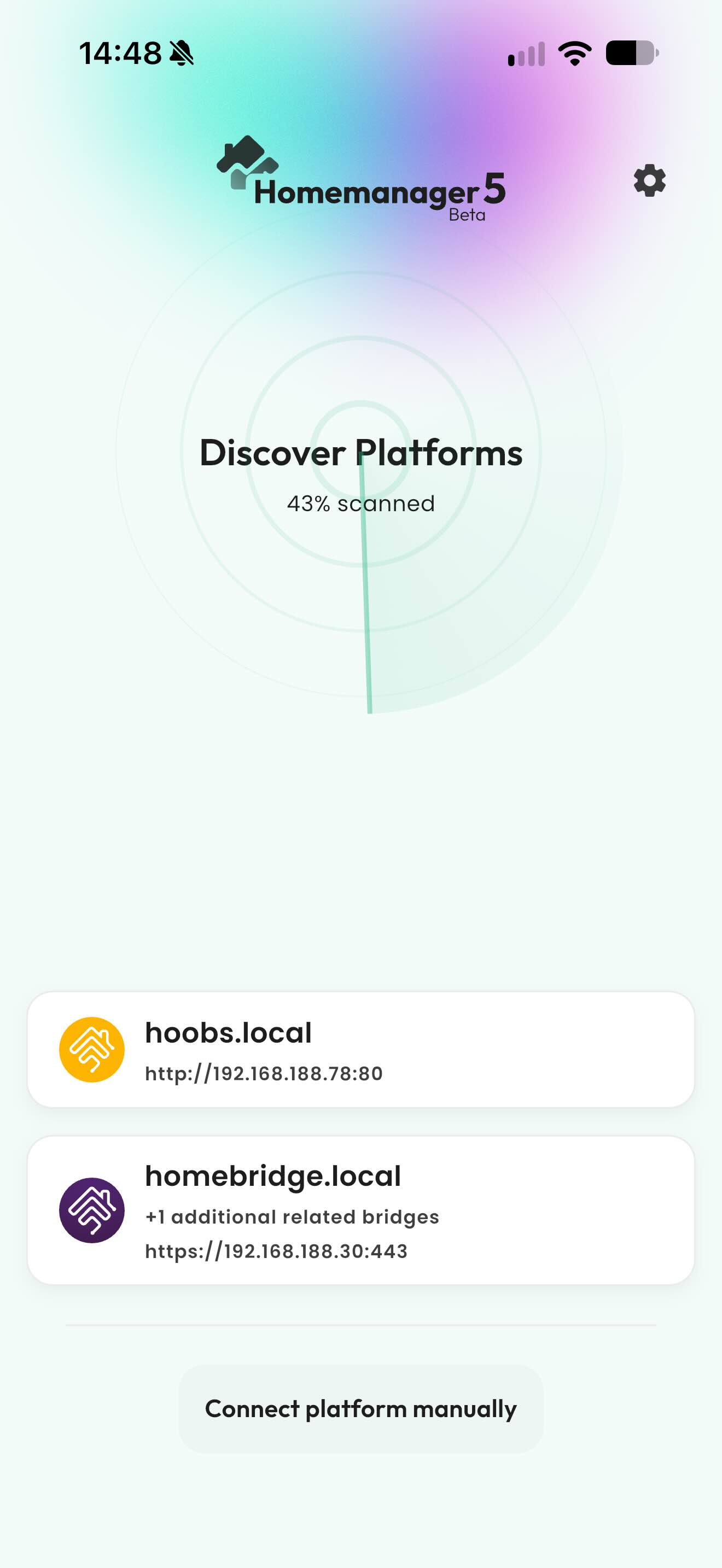
Manage your server
Once connected, you can look for integrations for your devices and manage your server from the app.
Frequently asked questions
No. Homemanager connects to your existing HOOBS server and needs no modified plugins or additional server packages.
The Starter tier is free and covers basic management of a single server. Basic and Pro are one-time purchases without a subscription. Managing several servers requires Pro. Current prices are on the Homemanager website.
HOOBS usually runs within your home network and cannot be reached directly from outside. To manage it remotely, you currently need to connect to your home network through a VPN.
Setting up a new server?
For new setups, we recommend standard Homebridge, because HOOBS has fallen behind on maintenance for modern Homebridge versions and plugins. How to Install Homebridge shows which method fits what you already have.
Further resources
Guides in Homemanager Docs
- Connecting Your Server to Homemanager
- How to Install Homebridge: All Methods
- Finding & Setting Up Plugins
- App FAQ & Support
Official Resources
Last updated on
Matter & Homebridge
How Matter and Homebridge work together, native Matter bridging in Homebridge 2.0, and how to configure Matter pairing in Homemanager or the web interface.
App FAQ & Support
Frequently asked questions about Homemanager: differences from the web interface, connectivity troubleshooting, remote access, Matter support, and licensing.